12 Umoor JMS Help Center
This help center has 1 tab for each section of the app. Start with Set up your jamaat if you are the treasurer.
Start here
What the app does
The app reads your QuickBooks. It puts each payment in a fund. Each member sees their own pledges and payments.
You keep recording money in QuickBooks. The app does not change your QuickBooks.
Find your path
| You are | Start with |
|---|---|
| The treasurer | Set up your jamaat tab, then Funds |
| An umoor coordinator | Budget and Expenses tabs |
| A member | For members tab |
Sign in
This is for everyone. You sign in with your ITS account.
- Open the app.
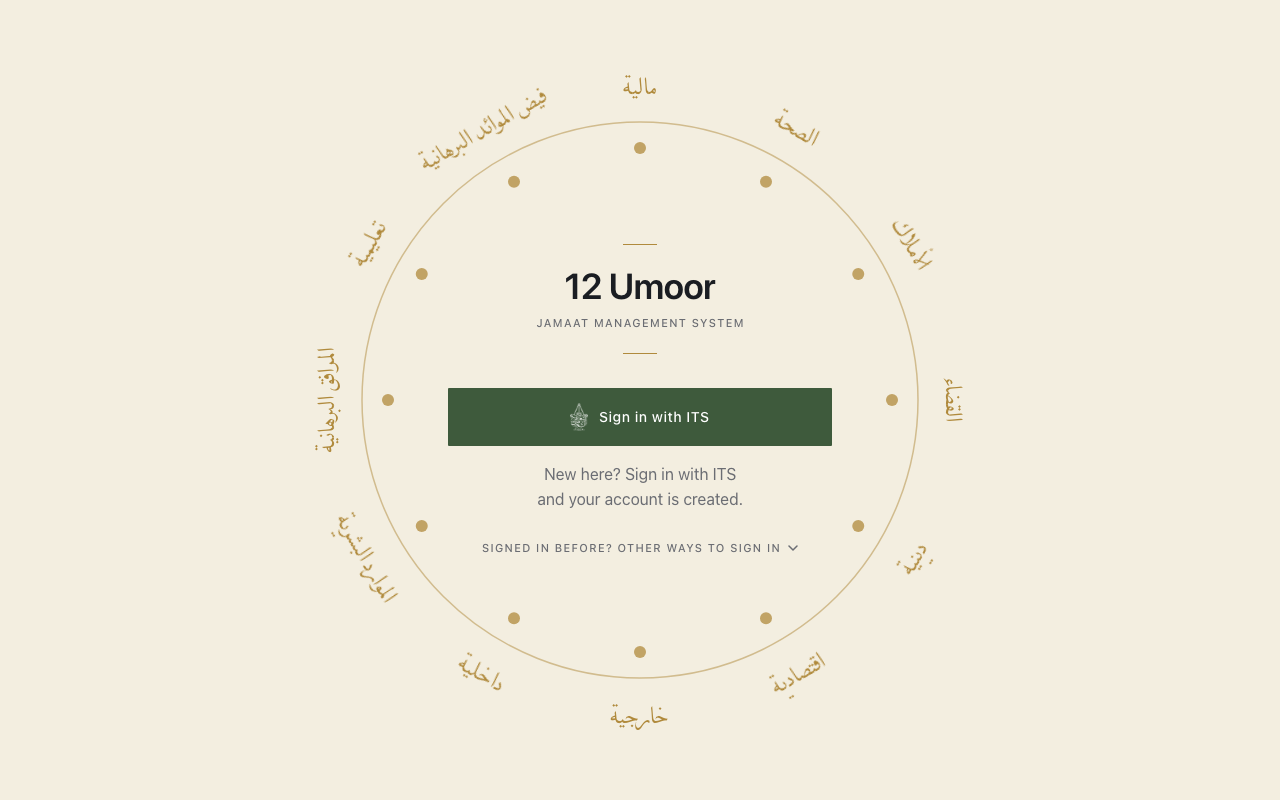
- Press Sign in with ITS.
- Enter your ITS ID and password on the ITS page.
- Some people have 2 or more jamaats. Choose 1 jamaat.
Next. Treasurers and coordinators see the screen Secure your account. Read Secure your account.
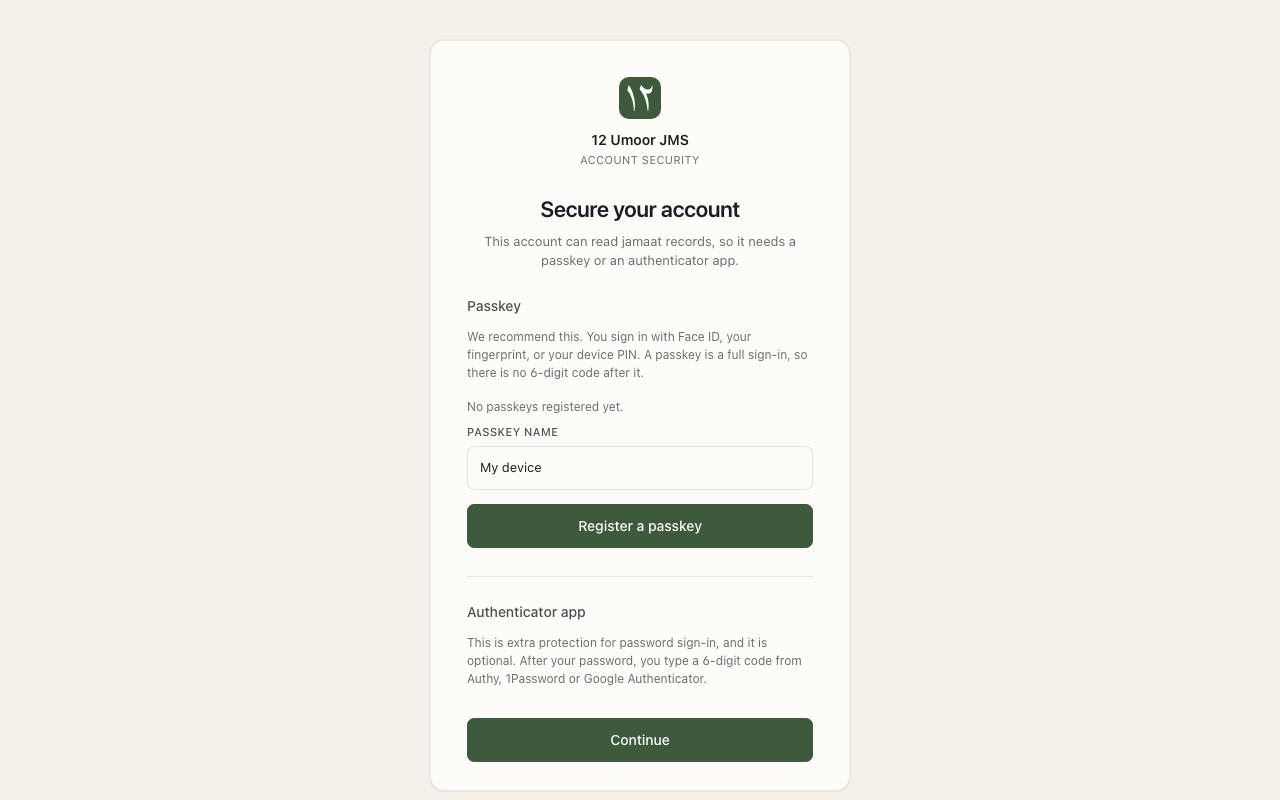
Secure your account
This is for treasurers and coordinators. Your role lets you read jamaat records. So the app asks for a second check. Choose a passkey or an authenticator app.
Before you begin
- Have your phone or computer with you.
- Sign in with ITS. The app shows Secure your account.
- Choose 1 way:
- Passkey. Press Register a passkey. Confirm with your fingerprint, face or device PIN.
- Authenticator app. Scan the QR code with an app such as Google Authenticator. Type the 6-digit code. Press Verify and enable.
- Next time, sign in with ITS. Then confirm with your passkey or a new 6-digit code.
Tip. A passkey is the quickest way. Your phone or computer confirms it is you.
Reminders. The app asks you to confirm again before some actions. For example: giving someone a role. You may also be signed out after a long time. Sign in again.
Sections
| Section | What it covers |
|---|---|
| Set up your jamaat | The 6 first steps for the treasurer. |
| Funds | Add funds and set their dates. |
| Pledges | Add pledges, and how payments pay them. |
| Payments and QuickBooks | New money, Your funds, QuickBooks, bank payments, other income. |
| Members | The directory, member pages, starting positions. |
| Balances and reports | Every balance, and the yearly report. |
| Receipts | Tax receipts for each year. |
| Budget | Plan what each umoor spends. |
| Expenses | Ask for money back, approve, pay. |
| Access and security | Roles, and keeping your account safe. |
| For members | What a member sees. |
| Words to know | Every app word, in plain English. |
Last checked against the app on 26 October 2026.