Expenses
An expense is money the jamaat pays out. For example: a member bought food for Niyaz and wants the money back. Or a bill from a supplier.
Your jamaat may have more than 1 approver. Each approver sees the expense in turn.
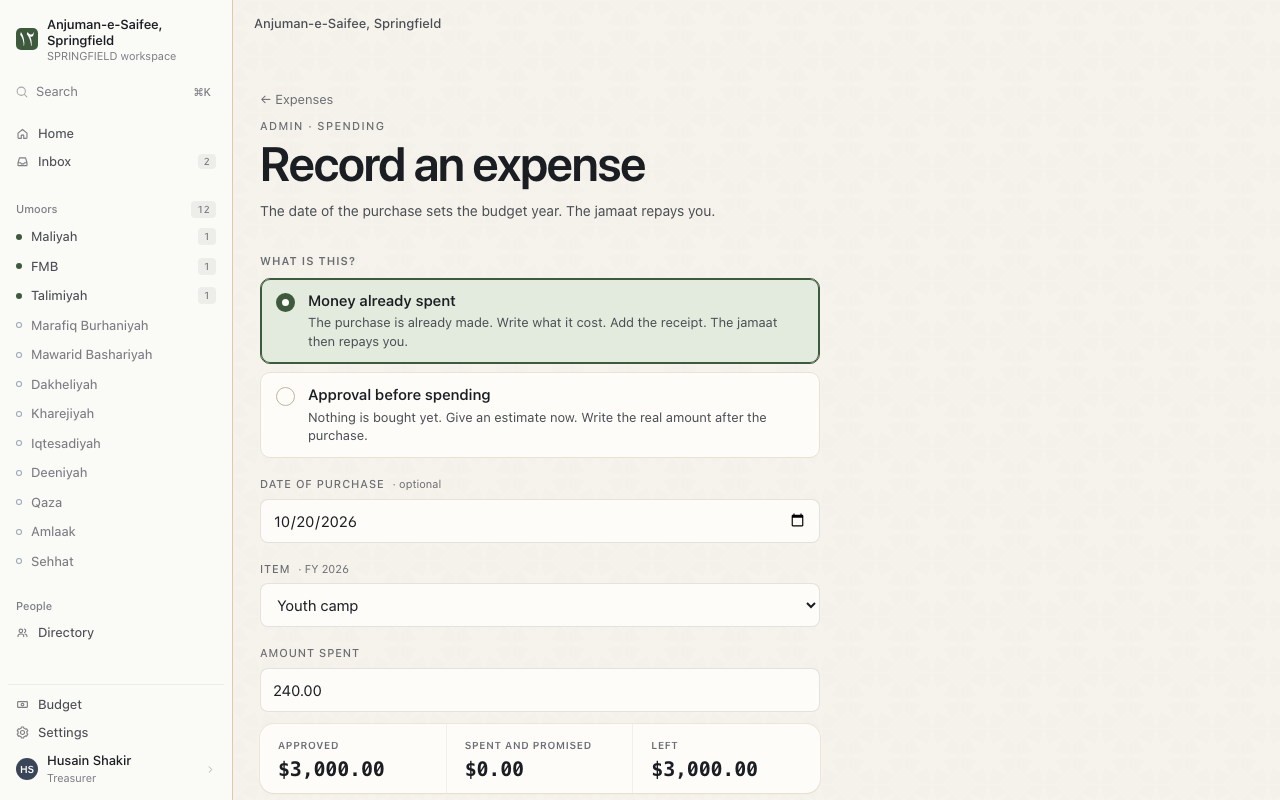
Ask for money back
This is for coordinators and volunteers. Ask before you spend, when you can.
Where. Expenses > New.
- Choose Reimbursement. Choose Check or expense for a bill.
- Type the Estimated amount.
- Write what it is for.
- Press Request approval.
Next. The first approver sees your request.
Approve or reject an expense
This is for approvers. Your jamaat's rules decide who approves.
- Open the expense.
- Press Approve. It goes to the next approver. The last approval ends with "Approved. No more approvals are needed."
- Or press Reject. Write the reason. The reason goes to the person who asked.
Add the receipt and the amount spent
- Open the approved expense.
- Press Attach receipt. Choose a JPEG, PNG, HEIC or PDF. 25 MB at most.
- Fill Amount spent and Date of purchase. Choose Same amount or Different amount.
- Press Record amount.
Reminders. An amount above the estimate needs approval again.
Pay an expense
This is for the treasurer.
- Pay the money from your bank or by check.
- Press Mark paid.
- Press Find the entry in QuickBooks. Choose the matching entry.
- Press Save the match. The expense now agrees with QuickBooks.
Set who approves
This is for the treasurer. A policy lists the approvers, in order.
Where. Expenses > Policies.
- Add each approver as a step.
- Press Save policy.
Reminders. Every policy needs at least 1 approver.