Budget
The budget shows what each umoor plans to spend, what was approved, and what was spent.
Start a budget year
This is for the treasurer. Coordinators cannot add items until the year starts.
Where. Budget.
- Press the button to start the year.
- Choose the start and end dates.
Add budget items
This is for umoor coordinators. An item is one thing your umoor plans to spend money on. For example: Ashara food, a new fridge.
Where. Budget > your umoor > Items.
- Type the Item name and the Amount.
- Mark it Essential if the umoor needs it every year.
- Fill If money is short. This says what happens without the money.
- Add each item the same way.
Tip. Last year shows what your umoor spent before. Press Use figure to copy it.
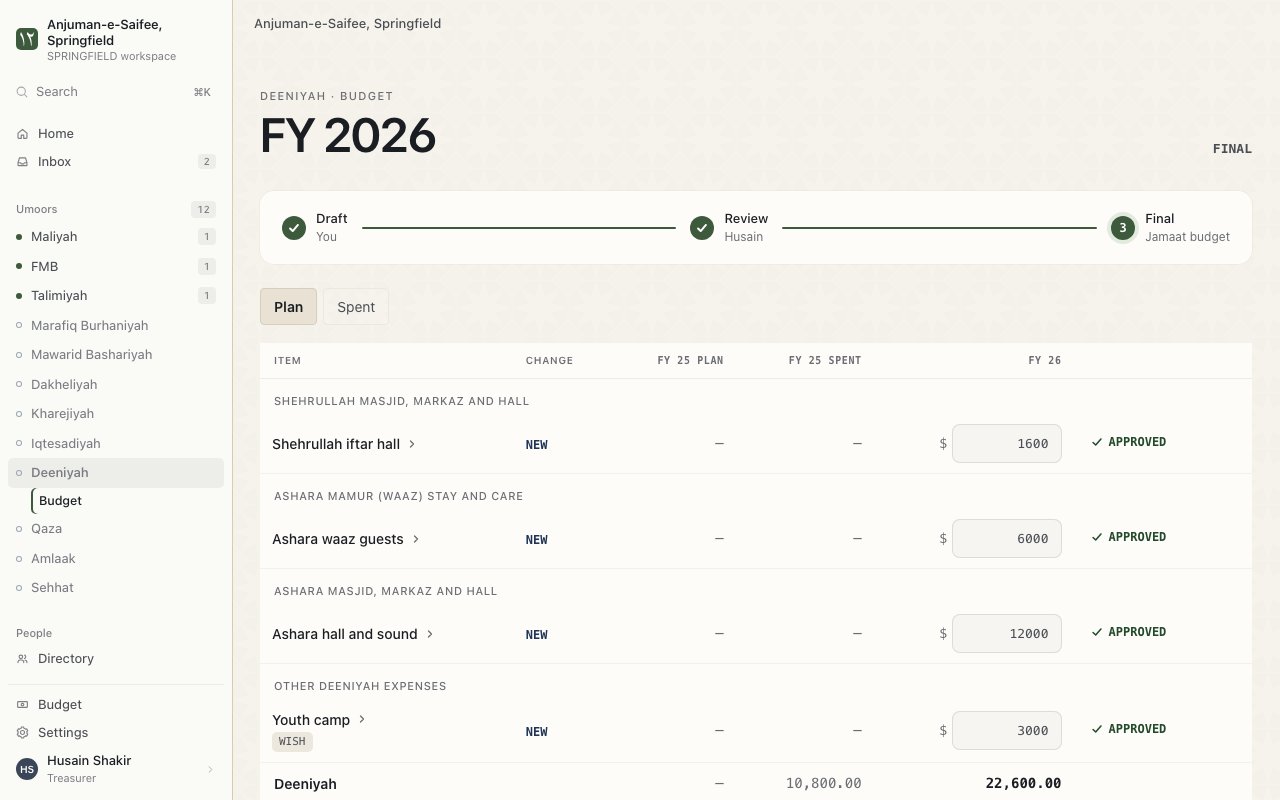
How a budget moves
A budget moves through 4 states. Each umoor's lines show the state.
| State | Who acts | What happens |
|---|---|---|
| Draft | Coordinator | Adds and changes items. |
| Review | Treasurer | Reads the items. Asks questions. |
| Approved plan | Treasurer | Presses Approve items. |
| Final | Nobody | The budget is closed for the year. |
Budget report
Where. Budget > Open budget report.
The report shows Planned, Spent and remaining for each umoor. Press Download sheet to download it.