For members
This section is for every member of the jamaat. You see your own pledges, payments and family.
The words here are softer than the treasurer's. A member reads "Remaining", never "owed".
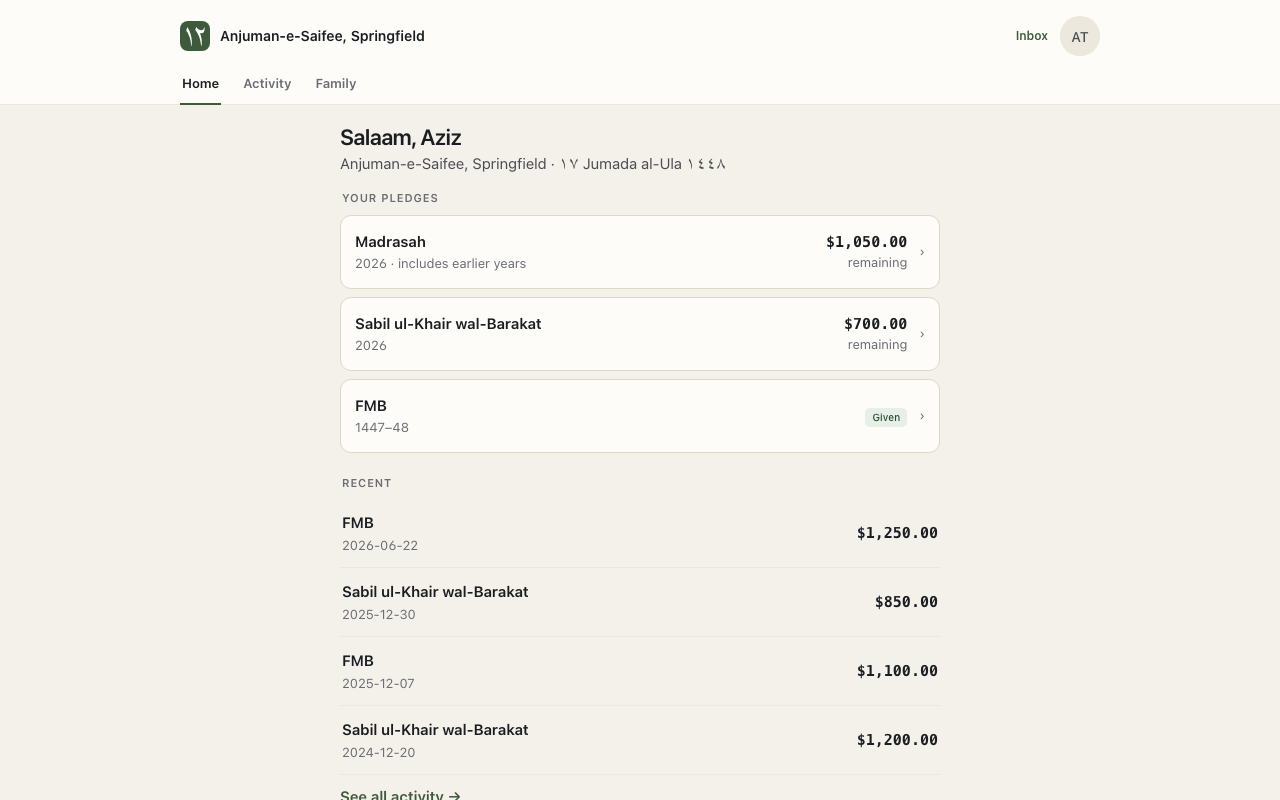
Your home page
Your pledges shows each pledge. Each one has Given and Remaining.
A pledge with nothing left shows Fully given. Some money is from earlier records. It shows under Over the years.
Pay a pledge
- Open the pledge.
- Press Pay.
- Choose your bank account in Pay from. The first time, press Add your bank account.
- Type the amount. For example: 250.
- Confirm.
Reminders. A new bank account needs a check first. The app sends 2 small amounts to it. Type them in First amount and Second amount. Then press Verify bank account.
Activity
Activity shows your payments. Recent shows the newest. All payments shows every one.
The jamaat may hold a check for you, to deposit later. It shows under On file.
Family
Family shows your household, as ITS records it. The head of household sees the household's pledges.
Your receipts
The jamaat sends you 1 tax receipt each year by email. It lists your tax-deductible payments.
Inbox
Inbox holds messages from your jamaat.