Pledges
A pledge is what one member or family promises to give to one fund, for one period of time. For example: Sabeel 2023. A pledge is only the promise. Payments arrive separately. This app matches each payment to its pledge.
Add a pledge
This is for the treasurer. Add a pledge for 1 member, or for many members at once.
Where. Pledges > Add pledge.
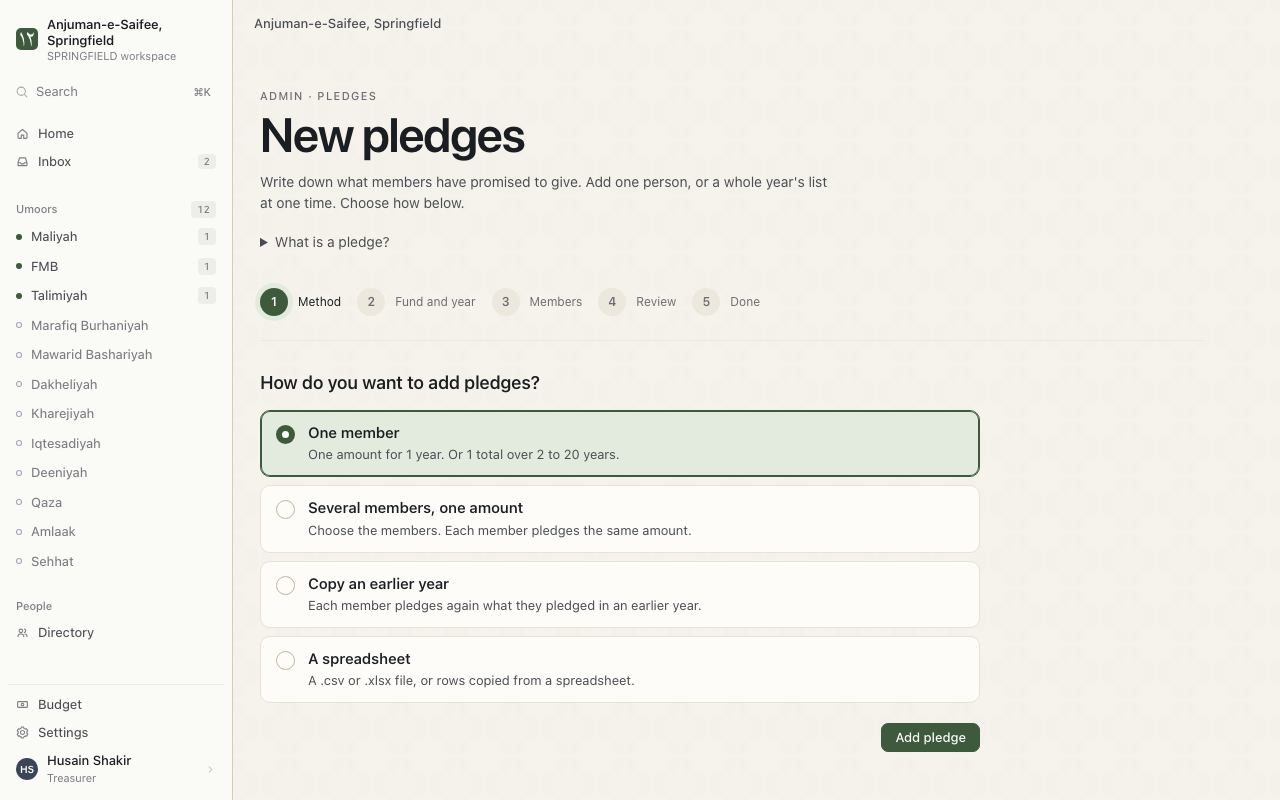
- Choose how to add pledges:
- One member. One amount for 1 year. Or 1 total over 2 to 20 years.
- Several members, one amount. Each member pledges the same amount.
- Copy an earlier year. Each member pledges again what they pledged before.
- A spreadsheet. A .csv or .xlsx file.
- Press Add pledge.
- Choose the Fund and year.
- Choose the Members. Type the amount. For example: 1200.
- Check the Review page. Save.
Next. The pledge shows on Balances.
Add pledges from an Excel file
You have last year's pledges in a spreadsheet. Add them all at once.
Where. New pledges > A spreadsheet.
- Download the template. Choose Excel (.xlsx) or CSV (.csv).
- Fill 1 row for each pledge. The columns are its_number, fund, year and amount.
- Paste the rows, or choose the file.
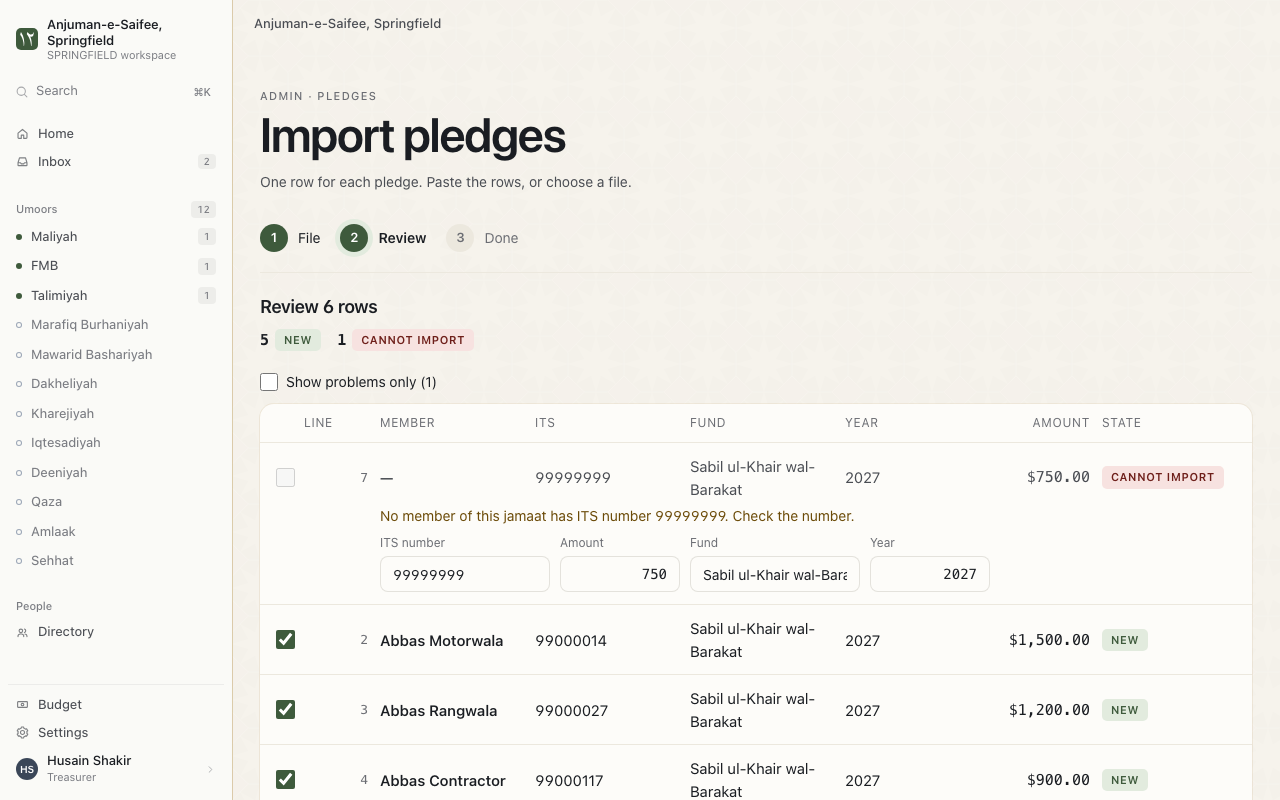
- Press Check pledges. The app shows each row.
- Fix any row the app marks. Then save.
Reminders.
- A row with no amount is not added.
- An empty fund cell uses the fund you chose on the screen. An empty year cell works the same way.
- Upload the same file again later. The app changes the pledges to match the file.
Repeat last year's pledges
Each member pledges again what they pledged in an earlier year.
On New pledges, choose Copy an earlier year. Then choose the earlier year and the new year.
Target year
The year a pledge is for. This is not always the year the money arrives. A payment that comes 2 years late still counts for the year it was promised.
How the app matches a payment to a pledge
A payment pays the oldest year with money remaining. Then it pays the next year.
The year the money arrives does not matter. The oldest year with money remaining is paid first.
Confirm or cancel a pledge
A new pledge can wait as a draft. It counts only after you confirm it.
- Go to Balances. Open Draft pledges.
- Press Confirm pledge.
- A pledge is wrong? Press Cancel this pledge. Type the reason.
A cancelled pledge shows CANCELLED.